> ## Documentation Index
> Fetch the complete documentation index at: https://docs.daydream.live/llms.txt
> Use this file to discover all available pages before exploring further.
# Installation
> Install the Daydream Browser SDK for WebRTC streaming
# Browser SDK Installation
Add real-time AI video effects to your web applications.
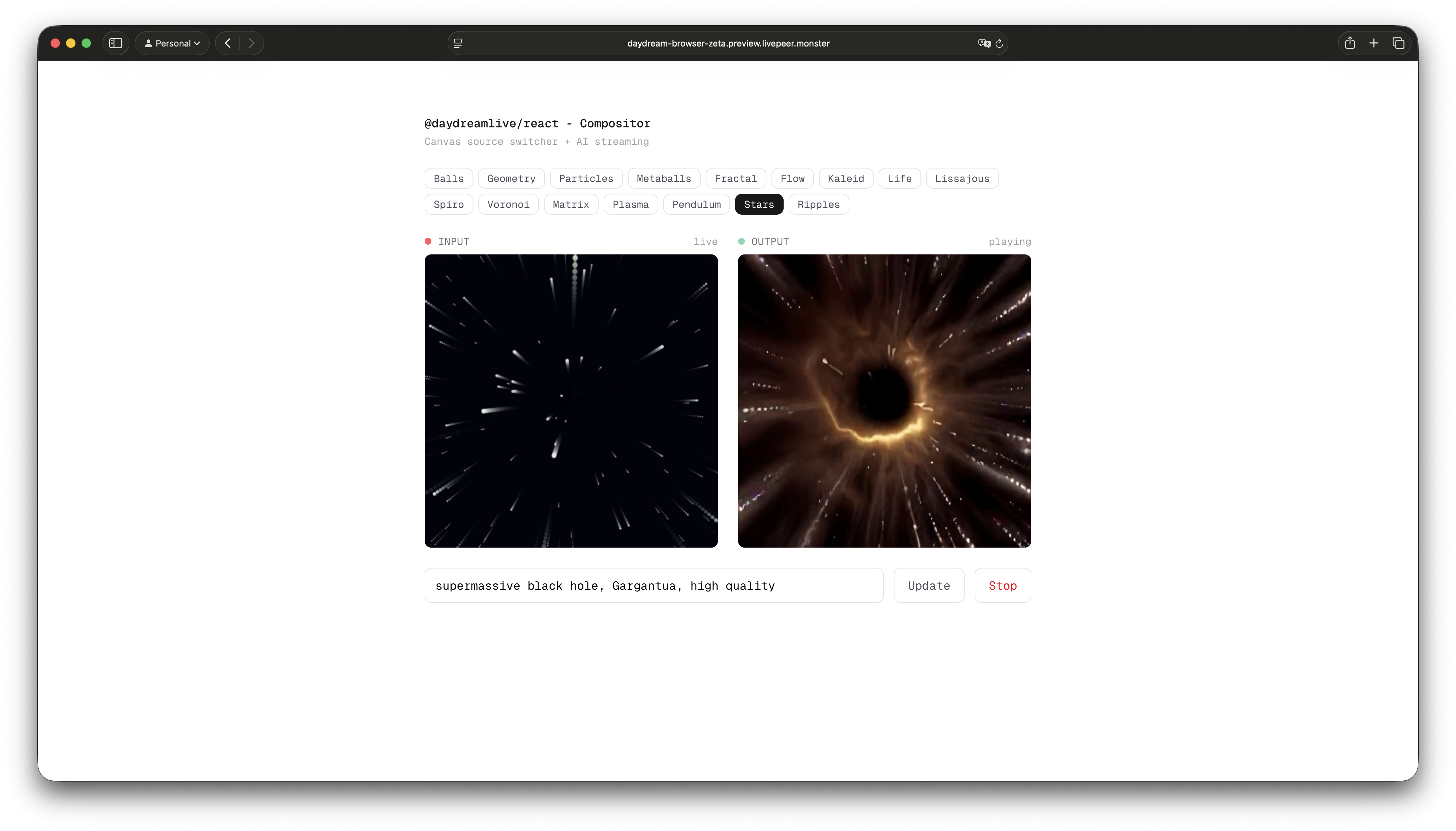 The Daydream Browser SDK provides WebRTC streaming capabilities for web applications. It's split into two packages:
* **`@daydreamlive/browser`** - Core WebRTC client, framework-agnostic, zero dependencies
* **`@daydreamlive/react`** - React hooks wrapper
## Installation
```bash npm theme={null}
# Core package
npm install @daydreamlive/browser
# React hooks - optional, for React apps
npm install @daydreamlive/react
```
```bash pnpm theme={null}
pnpm add @daydreamlive/browser
pnpm add @daydreamlive/react
```
```bash yarn theme={null}
yarn add @daydreamlive/browser
yarn add @daydreamlive/react
```
## Browser Requirements
The SDK works in all modern browsers that support WebRTC:
* Chrome 80+
* Firefox 80+
* Safari 14+
* Edge 80+
## Architecture
Think of it like this: your backend creates the stream and gets the connection URLs, then your frontend uses those URLs to broadcast and play video.
```mermaid theme={null}
graph LR
subgraph "Your Backend"
SDK["@daydreamlive/sdk
The Daydream Browser SDK provides WebRTC streaming capabilities for web applications. It's split into two packages:
* **`@daydreamlive/browser`** - Core WebRTC client, framework-agnostic, zero dependencies
* **`@daydreamlive/react`** - React hooks wrapper
## Installation
```bash npm theme={null}
# Core package
npm install @daydreamlive/browser
# React hooks - optional, for React apps
npm install @daydreamlive/react
```
```bash pnpm theme={null}
pnpm add @daydreamlive/browser
pnpm add @daydreamlive/react
```
```bash yarn theme={null}
yarn add @daydreamlive/browser
yarn add @daydreamlive/react
```
## Browser Requirements
The SDK works in all modern browsers that support WebRTC:
* Chrome 80+
* Firefox 80+
* Safari 14+
* Edge 80+
## Architecture
Think of it like this: your backend creates the stream and gets the connection URLs, then your frontend uses those URLs to broadcast and play video.
```mermaid theme={null}
graph LR
subgraph "Your Backend"
SDK["@daydreamlive/sdk
Create stream"]
end
subgraph "Your Frontend"
BR["@daydreamlive/browser
Broadcast & Play"]
end
subgraph "Daydream"
AI["StreamDiffusion
AI Processing"]
end
SDK -->|whipUrl| BR
BR -->|WHIP| AI
AI -->|WHEP| BR
style SDK fill:#3178C6,stroke:#235A97,color:#fff
style BR fill:#F7DF1E,stroke:#C9B617,color:#000
style AI fill:#F5A623,stroke:#C17D11,color:#000
```
## Quick Example
Here's a minimal example that broadcasts your webcam and plays the AI-processed output:
```typescript theme={null}
import { createBroadcast, createPlayer } from "@daydreamlive/browser";
// Get the whipUrl from your backend (created with @daydreamlive/sdk)
const whipUrl = "https://ai.livepeer.com/live/video-to-video/stk_xxx/whip";
// Get webcam
const stream = await navigator.mediaDevices.getUserMedia({ video: true });
// Start broadcasting
const broadcast = createBroadcast({ whipUrl, stream });
await broadcast.connect();
// Play the AI-processed output
const player = createPlayer(broadcast.whepUrl);
await player.connect();
player.attachTo(document.querySelector("video#output"));
```
## What's Next?
* [Broadcast](/sdks/browser/broadcast) - Send video to Daydream
* [Player](/sdks/browser/player) - Play AI-processed output
* [React Hooks](/sdks/browser/react-hooks) - Use with React
* [Compositor](/sdks/browser/compositor) - Combine multiple video sources
## Live Examples
Check out these working examples:
| Example | Description | Demo |
| ---------------------------------------------------------------------------------------------------------- | ------------------ | -------------------------------------------------------------------- |
| [with-react](https://github.com/daydreamlive/daydream-browser/tree/main/examples/with-react) | Basic React hooks | [Live Demo](https://daydream-browser-kohl.preview.livepeer.monster) |
| [with-compositor](https://github.com/daydreamlive/daydream-browser/tree/main/examples/with-compositor) | Canvas composition | [Live Demo](https://daydream-browser-zeta.preview.livepeer.monster) |
| [with-screen-share](https://github.com/daydreamlive/daydream-browser/tree/main/examples/with-screen-share) | Screen capture | [Live Demo](https://with-screen-share-lime.preview.livepeer.monster) |
| [with-three](https://github.com/daydreamlive/daydream-browser/tree/main/examples/with-three) | Three.js streaming | [Live Demo](https://with-three-git-main.preview.livepeer.monster) |
| [with-vanilla](https://github.com/daydreamlive/daydream-browser/tree/main/examples/with-vanilla) | Pure JS (no React) | — |