> ## Documentation Index
> Fetch the complete documentation index at: https://docs.daydream.live/llms.txt
> Use this file to discover all available pages before exploring further.
# Installation
> Set up the Daydream TouchDesigner plugin
# TouchDesigner Plugin Installation
Add real-time AI video effects to your TouchDesigner projects.
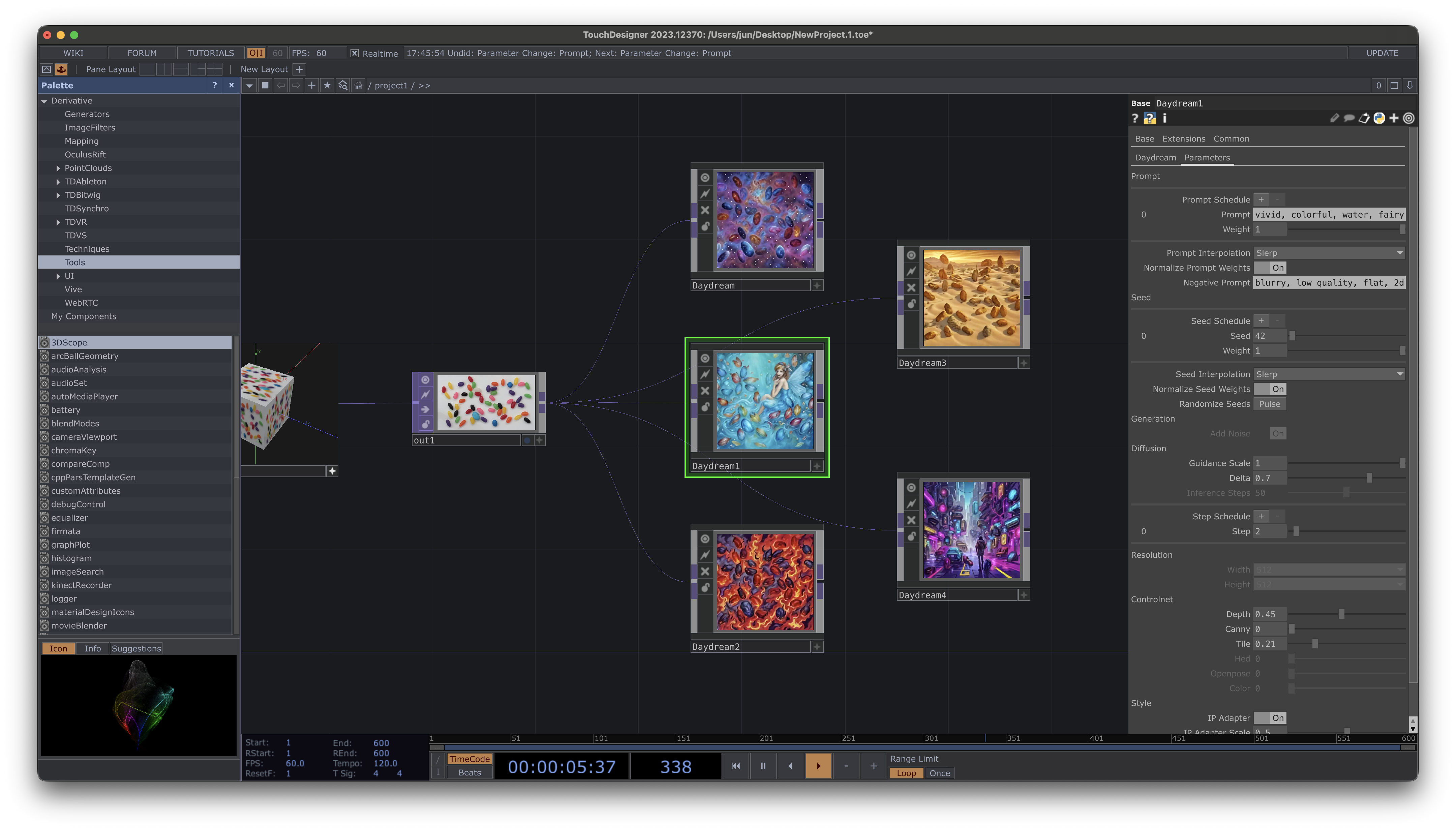 ## Requirements
* TouchDesigner 2023 or later
* Daydream account ([sign up at daydream.live](https://daydream.live))
## Installation
1. Download the `.tox` file from [GitHub Releases](https://github.com/daydreamlive/daydream-touchdesigner/releases)
2. Drop it into your TouchDesigner project
## Quick Setup
Once installed, getting started is simple:
1. **Log in** - Click the **Login** button to authenticate with your Daydream account
2. **Connect a video source** - Wire any TOP (video, camera, or generated content) to the `stream_source` input
3. **Start streaming** - Toggle **Active** to begin real-time AI processing
4. **See the magic** - The processed output appears on the component's output TOP
```mermaid theme={null}
flowchart LR
A[Your Video Source] --> B[Daydream Component]
B --> C[AI Output]
B --> D[Daydream Cloud]
```
## Login Flow
When you click **Login**, a browser window opens for authentication:
1. Sign in with your Daydream account (or create one)
2. Authorize the TouchDesigner plugin
3. The plugin automatically receives your credentials
4. You're ready to stream!
Your login persists between sessions, so you only need to authenticate once.
## Models
The plugin supports multiple Stable Diffusion models:
| Model | Best For |
| -------------------------------------------- | ---------------------------- |
| SDXL Turbo (`stabilityai/sdxl-turbo`) | High quality, style transfer |
| SD Turbo (`stabilityai/sd-turbo`) | Fast, real-time effects |
| Dreamshaper 8 (`Lykon/dreamshaper-8`) | Stylized, cartoon effects |
| Openjourney v4 (`prompthero/openjourney-v4`) | Artistic, painterly styles |
## Next Steps
* [Features](/sdks/touchdesigner/features) - ControlNets, IP Adapter, prompt scheduling
* [Integration API](/sdks/touchdesigner/integration) - Python scripting and automation
* [ControlNets Tutorial](/knowledge-hub/tutorials/controlnets) - Learn how ControlNets work
## Requirements
* TouchDesigner 2023 or later
* Daydream account ([sign up at daydream.live](https://daydream.live))
## Installation
1. Download the `.tox` file from [GitHub Releases](https://github.com/daydreamlive/daydream-touchdesigner/releases)
2. Drop it into your TouchDesigner project
## Quick Setup
Once installed, getting started is simple:
1. **Log in** - Click the **Login** button to authenticate with your Daydream account
2. **Connect a video source** - Wire any TOP (video, camera, or generated content) to the `stream_source` input
3. **Start streaming** - Toggle **Active** to begin real-time AI processing
4. **See the magic** - The processed output appears on the component's output TOP
```mermaid theme={null}
flowchart LR
A[Your Video Source] --> B[Daydream Component]
B --> C[AI Output]
B --> D[Daydream Cloud]
```
## Login Flow
When you click **Login**, a browser window opens for authentication:
1. Sign in with your Daydream account (or create one)
2. Authorize the TouchDesigner plugin
3. The plugin automatically receives your credentials
4. You're ready to stream!
Your login persists between sessions, so you only need to authenticate once.
## Models
The plugin supports multiple Stable Diffusion models:
| Model | Best For |
| -------------------------------------------- | ---------------------------- |
| SDXL Turbo (`stabilityai/sdxl-turbo`) | High quality, style transfer |
| SD Turbo (`stabilityai/sd-turbo`) | Fast, real-time effects |
| Dreamshaper 8 (`Lykon/dreamshaper-8`) | Stylized, cartoon effects |
| Openjourney v4 (`prompthero/openjourney-v4`) | Artistic, painterly styles |
## Next Steps
* [Features](/sdks/touchdesigner/features) - ControlNets, IP Adapter, prompt scheduling
* [Integration API](/sdks/touchdesigner/integration) - Python scripting and automation
* [ControlNets Tutorial](/knowledge-hub/tutorials/controlnets) - Learn how ControlNets work