

Remote Inference (Beta)
The Remote Inference feature enables you to run Scope pipelines on cloud-hosted H100 GPUs provided by Daydream, eliminating the need for local GPU hardware. This means Mac users and anyone without a dedicated NVIDIA card can use Scope.On Windows, only the x64 version is supported - ARM-based Windows (e.g. Snapdragon laptops) is not supported at this time.
Setup
1
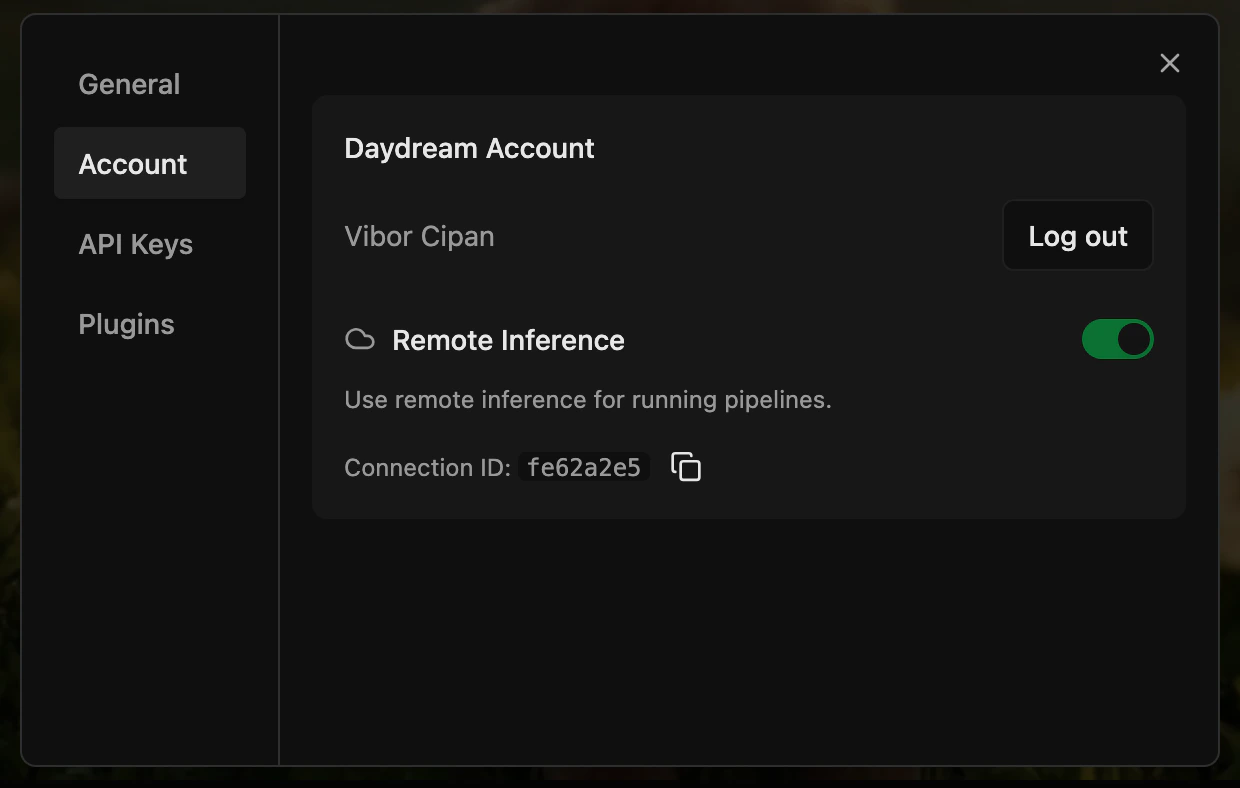
Open Account settings
Launch the Scope app and navigate to Settings (gear icon, top-right) → Account.
2
Sign in with Daydream
In the Account panel, select Sign in with Daydream. A browser window will open for authentication — once complete, you’ll be returned to the app.
3
Enable Remote Inference
After signing in, enable the Remote Inference toggle.
4
Start generating
Select your desired pipeline and press Play.
Supported Features
Remote Inference has full feature parity with local Scope — everything you can do locally works in the cloud:- All pipelines — Every pipeline available locally works remotely on H100 GPUs, including LTX 2.3 which is pre-bundled in the cloud image (no plugin install needed)
- LoRAs — Load LoRAs from CivitAI or Hugging Face; adjust strength in real-time
- Nodes — Install and use community nodes (remote-approved nodes only)
- Workflows — Import, export, and share workflows with full dependency resolution
- Control interfaces — OSC, MIDI, DMX, and other control protocols work as expected
- Output interfaces — Spout, Syphon, NDI, and other output protocols are fully supported
Usage Details
- Session duration - Each session provides up to 1 hour of GPU access. Upon disconnection, you may reconnect immediately to begin a new session. There is no charge and no limit on the number of sessions during the beta period.
- Startup time - Please allow approximately 2-3 minutes for the remote GPU to provision, followed by an additional 1-2 minutes for the selected pipeline to initialize and begin producing output.
Known Limitations
These limitations are specific to the beta and may be resolved in future releases.
- Krea Realtime pipeline switching requires an application restart - to switch to
krea-realtime-videofrom another pipeline, close the application, relaunch it, enable the Remote Inference toggle in the settings panel, select the Krea pipeline, and press Play.
Troubleshooting
If you run into issues while using Remote Inference, Scope’s built-in log panel and bug reporter can help you capture what went wrong and share it with us.Reporting Issues
Learn how to use the log panel, copy logs, and submit a bug report on GitHub